
Guides / Roles and permissions
How to Assign Roles to Portal Users in Bulk
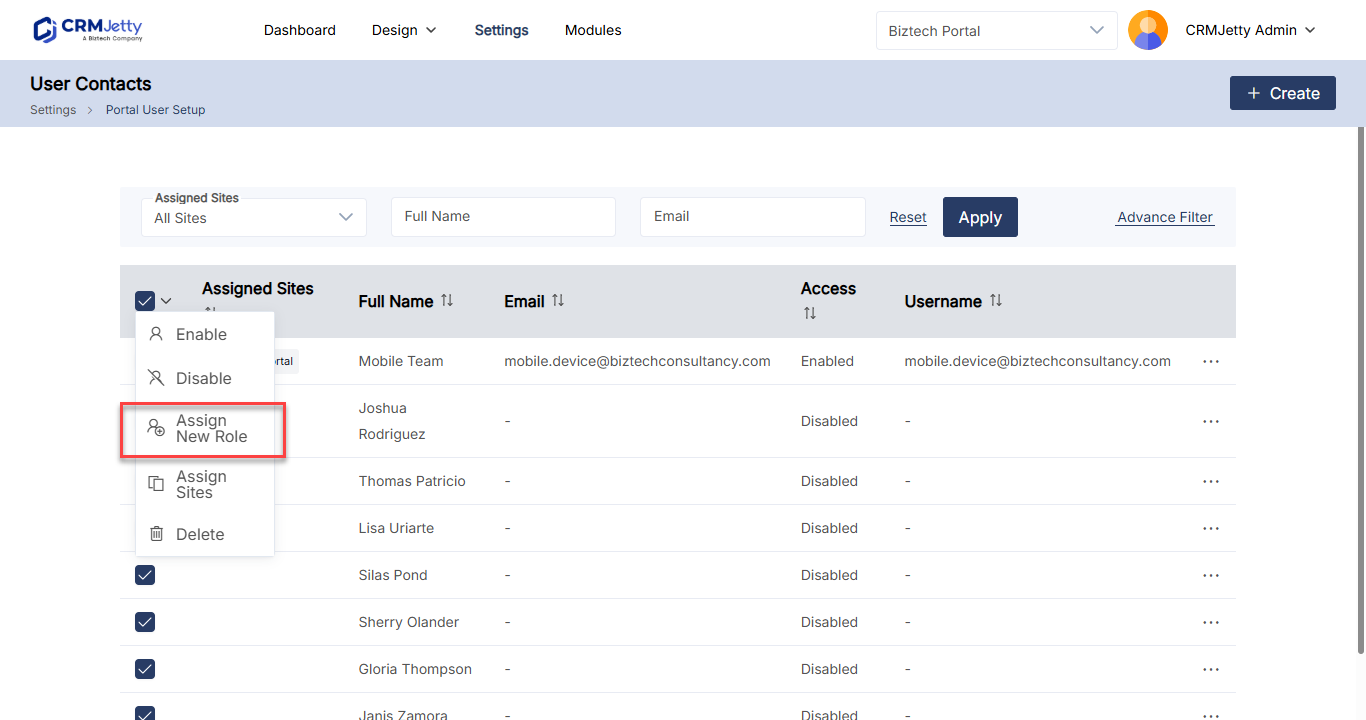
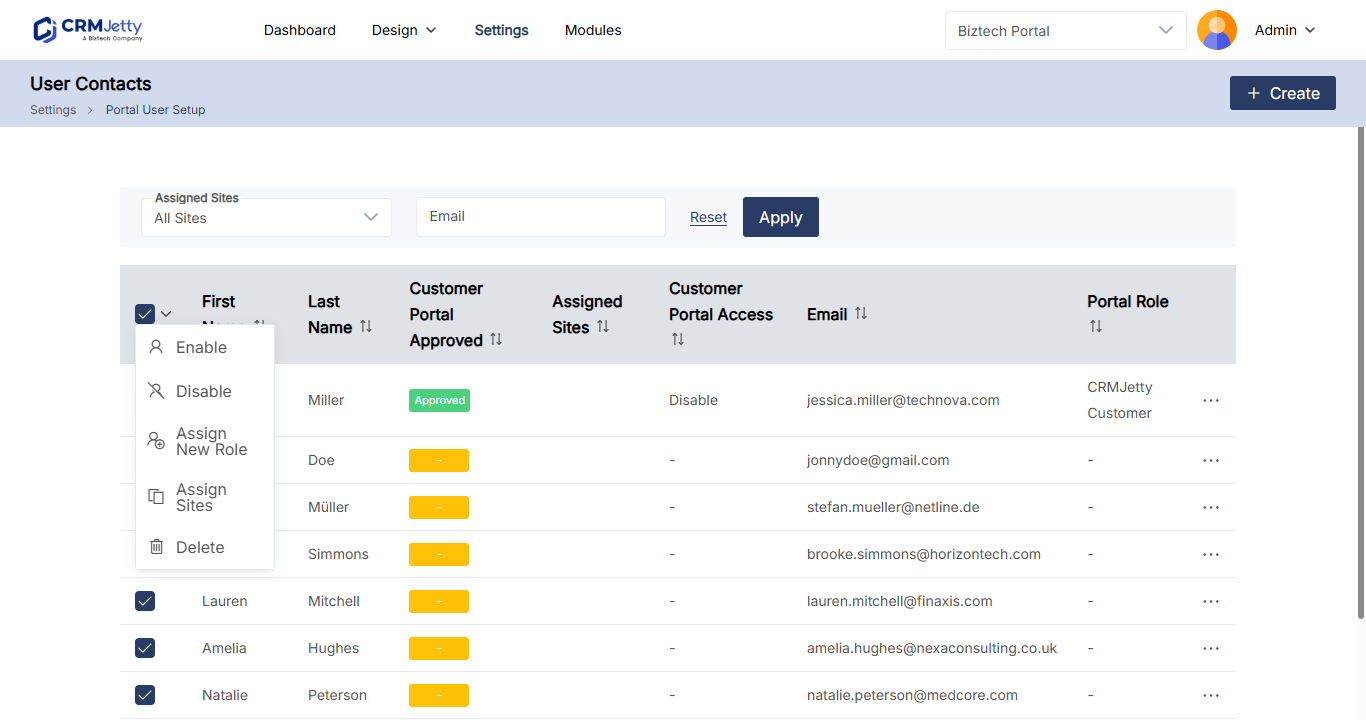
Short answerGo to Settings → User Settings → Portal User Setup, select the contacts, choose Assign New Role from the Bulk Actions drop-down and select Apply. Choose the role in the pop-up and select Save.
Changing roles one user at a time is slow. Use Assign New Role to give a group of portal users the same role at once, for example when you move a set of customers to a partner role.
Before you start
- You need access to the CRMJetty admin portal with rights to manage portal users.
- Create the role you want to assign. See How to Create Portal User Roles and Permissions.
Assign a new role to selected users
- Go to Settings → User Settings → Portal User Setup.
- Select the checkbox next to each contact you want to change.
- In the Bulk Actions drop-down, select Assign New Role.
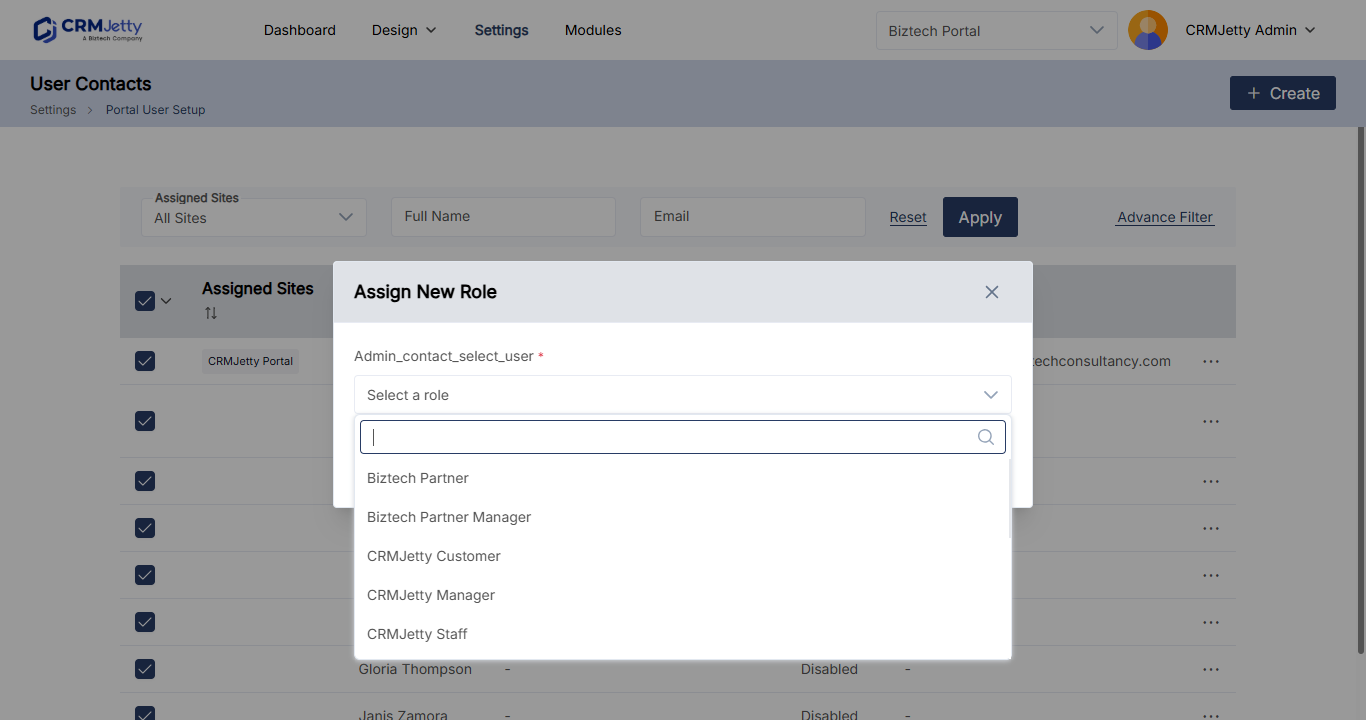
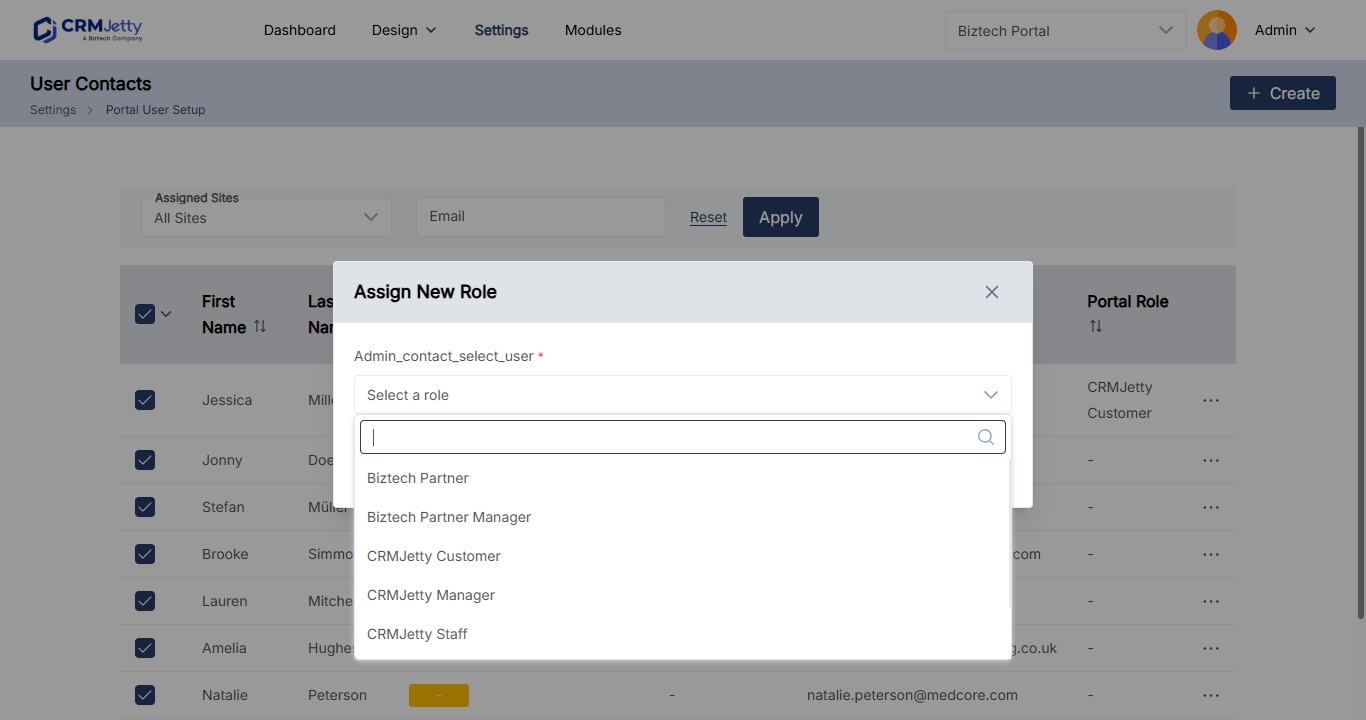
- Select Apply. The Assign New Role pop-up opens.
- Choose the new role.
- Select Save.
The selected contacts now have the new role and its permissions.
Other ways to set roles for many users
| Situation | Use |
|---|---|
| Move every user who has one role to another role | Replace Role in the role’s three dots (…) menu under Settings → User Settings → Portal User Roles. See How to Create Portal User Roles and Permissions. |
| Give portal access to contacts and set their role at the same time | Enable in the Bulk Actions drop-down. You choose the role in the pop-up. See How to Generate Portal Login Credentials in Bulk. |
| Set the role new users get automatically | The default role. See How to Set a Default Role for New Portal Users. |
| Change one user’s role | Edit the contact and change the Role field. See How to Edit Portal User Details. |
Related articles
- How to Create Portal User Roles and Permissions
- How to Set a Default Role for New Portal Users
- How to Generate Portal Login Credentials in Bulk
- How to Approve Multiple Portal Users at Once
- How to Edit Portal User Details
Did this solve it?No, contact support